NEW PRODUCT GUIDE
REQUIRED: complete the General guide (General tab) before downloading or opening the loader. Skipping this step can stop the product from working.
Loader: Download
Updated on 10/29/2026
Release notes
Baixee o loader a executa como admin
Step 1: (REQUIRED) Complete the General guide
- Desative o Windows Defender, o SmartScreen e qualquer antivírus
- Instale as dependências (DirectX e Visual C++)
- BAIXEM todos os drivres do pc
- Reinicie o computador
Step 2: Download and open the loader
- Click DOWNLOAD at the top of this guide
- Extract the file (WinRAR or 7-Zip)
- Right-click the loader → Run as administrator
Step 3: Log in with your key
Cole a key recebida por e-mail após a compra e clique em ENTRAR.
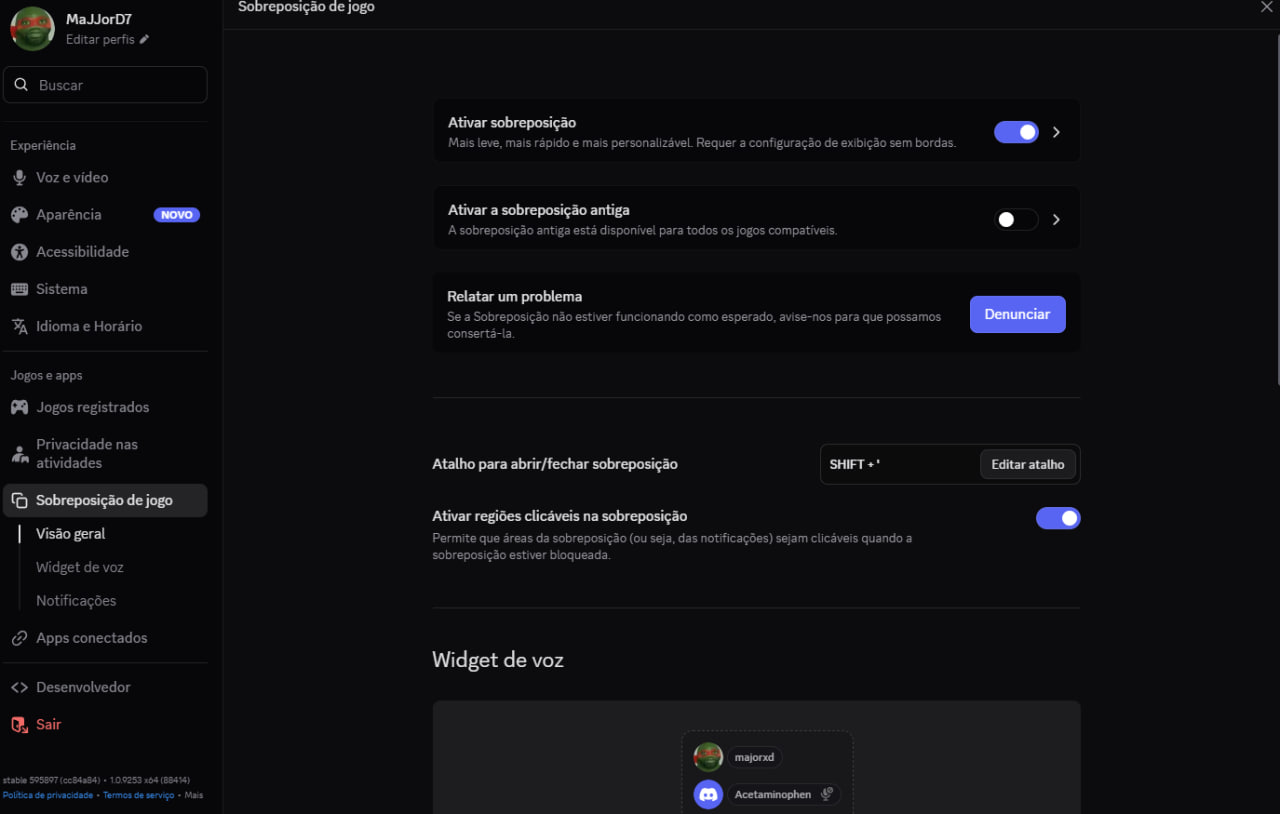
CONFIGURAÇÃO DO DISCORD PRO MOD FUNCIONAR
- Execute o Discord como ADMINISTRADOR.
- Ative a NOVA SOBREPOSIÇÃO (OVERLAY) nas configurações do Discord.
- Caso a sobreposição antiga esteja ativada, desative-a e reinicie o Discord.
- Verifique se a sobreposição antiga está realmente desativada.
- Com tudo configurado, feche o Discord e abra-o novamente como ADMINISTRADOR.
Step 4: Open the game
INSTRUÇÕES FINAL
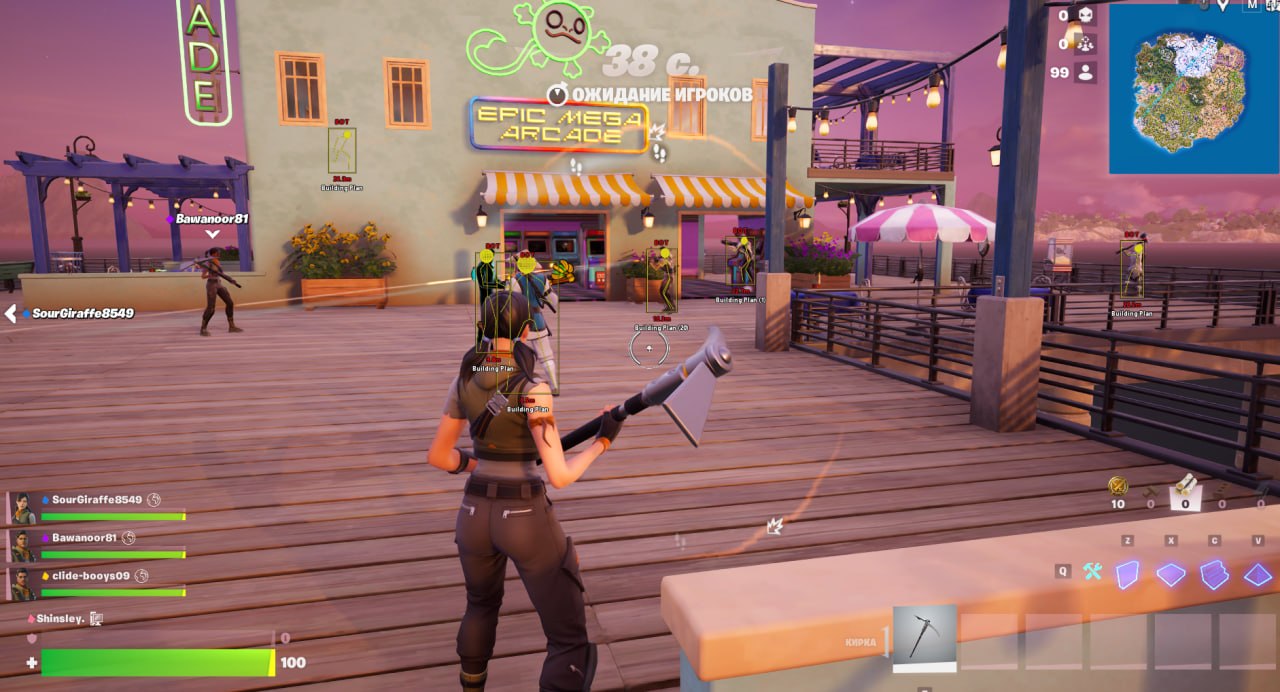
- Coloque o jogo em JANELA SEM BORDAS (BORDERLESS) OU JANELA.
- Clique em START/INJECT e aguarde. O XIT abrirá o jogo automaticamente.
- Ao chegar ao lobby, aguarde 30 segundos.
- Pressione F4 para abrir o MOD MENU.
- Pressione SHIFT DIREITO para minimizar o menu.
Black screen or error on launch? Make sure Windows Defender and your antivirus are still disabled, restart your PC and try again. If it keeps happening, open a ticket on our Discord.
All set! The product is up and running. Enjoy your game!